
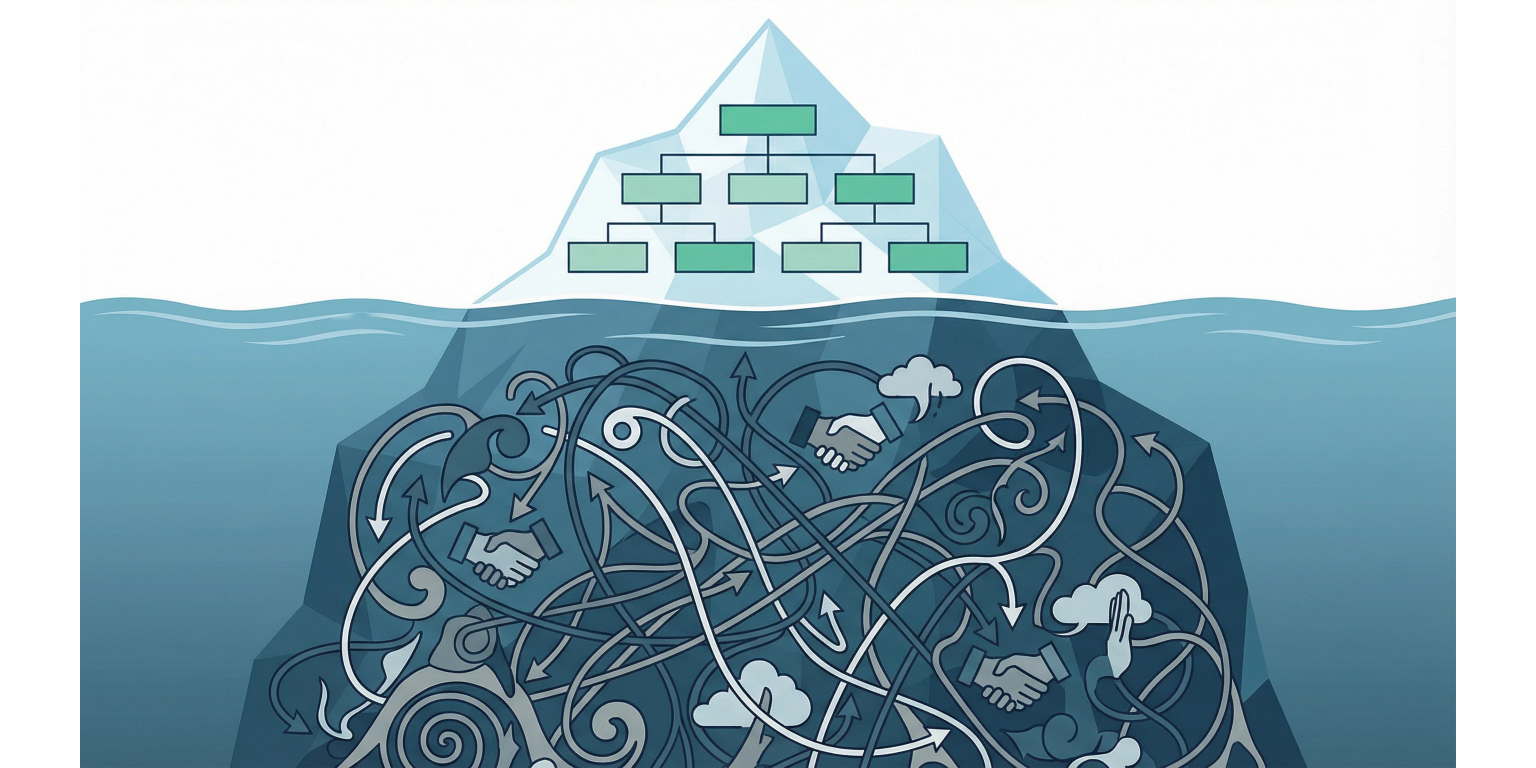
First time you point Claude at a real codebase, it behaves like a brilliant contractor who has never seen your org chart, your deployment topology, or your naming conventions. Every question needs preamble. Every answer needs correction. The coordination tax is the entire interaction.
A context layer is the structural fix. Not fine-tuning. Not a custom model. A deliberate architecture of context files, skill definitions, live data connections, and entity relationships that load the right information at the right time, scoped to the task in front of it.[4] Teams that build all four layers cut correction cycles by more than half inside the first month.
Four layers, each tuned to a different access pattern: always-on slow facts, on-demand domain skills, live real-time data, and a persistent entity graph. Most teams get Layer 1 right and stop. The teams that build all four report fewer corrections, fewer hallucinations about internal systems, and far less time spent re-explaining context the assistant should already have. One honest caveat: Layer 4 is hard to maintain. If your organizational data is scattered across Jira, Slack, and Notion with no source of truth, the entity graph will cost more than it returns for the first six months. Build it last, on purpose.
Slow facts, domain skills, live data, entity relationships
Cross-check the version-specific threshold in Anthropic's docs
Lets a 50+ skill library coexist with a finite context budget
Magnitude depends on documentation quality and team discipline
Layer 1: CLAUDE.md Is the Universal Truths File. Most Teams Underuse It.
Always-on context. The slow facts that survive next month's roadmap.
CLAUDE.md is the first file the assistant reads when it enters your project.[1] Treat it as the employee handbook plus the architecture decision record plus the tribal knowledge that lives in three Slack threads and one engineer's head. Most teams treat it as a README. That is the mistake.
The always-on layer holds slow facts. Information with a long shelf life that applies to almost every interaction. Tech stack and versions. Deployment targets. Naming conventions. Testing philosophy. Directory structure. The specific things a new hire would need on day one to avoid an embarrassing first commit.
What does not belong here: anything that changes weekly, anything specific to a single feature, and anything that consumes more than 10–15% of the context window. CLAUDE.md is not a knowledge dump. It is a curated set of universal truths. Every line that does not earn its slot in the always-on budget pushes out a line that would.
CLAUDE.md# Acme Corp — Engineering Context
## Tech Stack
- Framework: Next.js 16 (App Router) with React 19
- Language: TypeScript 5 (strict mode)
- Database: PostgreSQL 16 via Drizzle ORM
- Deployment: Vercel (production), Railway (staging)
- Package manager: pnpm
## Conventions
- File naming: kebab-case for files, PascalCase for components
- Tests colocated with source files as `*.test.ts`
- API routes return `{ data, error, meta }` envelope
- All database queries go through `/lib/db/queries/`
- Never import from `@internal/` packages directly
## Architecture Decisions
- Server Components by default; Client Components only for interactivity
- No global state management — server state plus URL state, nothing else
- Feature flags via LaunchDarkly, accessed through `/lib/flags.ts`
## What NOT to do
- Never commit .env files or API keys
- Never use `any` type — use `unknown` and narrow
- Never bypass the lint-staged hooksLayer 2: Skill Files Solve the Context Budget Problem
Domain knowledge that loads only when the task touches the domain. Everything else stays out of the window.
Layer 2 fixes the budget problem. Your organization has deep knowledge about payments, authentication, onboarding, billing, compliance, and a dozen other domains. Loading all of it into every interaction wastes tokens and dilutes the signal until the assistant treats noise like instruction.[2]
Skill files are domain-specific context packages that load on demand. Each skill is a folder with a SKILL.md file holding instructions, conventions, and resources for that domain. Task is about payments, the payments skill loads. Task shifts to authentication, the auth skill loads, the payments skill drops out.[2]
Progressive disclosure runs in three tiers. Metadata loads first — skill name, description, trigger conditions. Instructions load when the skill activates. Resources and examples load when something specifically references them. The mechanism lets you maintain a library of 50+ skills without any of them consuming context until the task makes them relevant. Without progressive disclosure, you would be choosing between coverage and budget. With it, you stop choosing.
Skill File Organization
tree.claude/
├── commands/
│ ├── deploy.md
│ ├── create-migration.md
│ └── generate-api-route.md
└── skills/
├── payments/
│ ├── SKILL.md
│ ├── stripe-conventions.md
│ └── refund-flow.md
├── auth/
│ ├── SKILL.md
│ ├── session-management.md
│ └── rbac-model.md
└── onboarding/
├── SKILL.md
├── wizard-steps.md
└── trial-logic.md| Characteristic | Layer 1 (CLAUDE.md) | Layer 2 (Skill Files) |
|---|---|---|
| Update frequency | Monthly or less | Weekly to monthly |
| Scope | Entire organization | Single domain or feature area |
| Loading behavior | Always loaded | Loaded on demand when relevant |
| Token budget | 10–15% of context window, hard ceiling | 5–10% per skill while active |
| Content type | Stack, conventions, architecture | Domain logic, API patterns, edge cases |
| Owner | Tech lead or platform team | Domain team or feature owner |
| Examples | Naming conventions, deploy targets | Stripe webhook handling, auth session flow |
Layer 3: When Documented Knowledge Lies, MCP Tells the Truth
The information that changes faster than anyone updates the doc. Live state, not memorized state.
Layers 1 and 2 carry static knowledge — things you write down and update on a cadence. Layer 3 carries the information that changes faster than anyone documents it. Current database schema. State of the CI pipeline. The Notion page edited an hour ago. The latest production error log.
MCP connections give the assistant runtime access to external systems.[1] Instead of pasting a schema or describing an error log by memory, the assistant queries the source and operates on the current state. The source is the truth. The doc is a snapshot that lies the moment it stops being maintained.
The leverage point in Layer 3 is which connections live always-on versus which sit behind explicit invocation. Database schema is relevant to almost every code task — keep it always-on. Production logs only matter during debugging — keep them on-demand. Analytics only matter during reporting tasks. Default to on-demand. Promote to always-on only when the connection earns it across most interactions.
Always-On MCP Connections
- ✓
Database schema browser — relevant to most code generation tasks
- ✓
Git status and recent commit history — needed to understand current work
- ✓
Project configuration and environment variables (names, never values)
- ✓
CI/CD pipeline status — required for deployment and testing decisions
On-Demand MCP Connections
Production error logs — activated during debugging workflows
Analytics and metrics dashboards — activated during reporting tasks
Notion or Confluence pages — activated when referencing documentation
Slack channel history — activated when researching team decisions
Calendar and scheduling — activated for planning and coordination tasks
Layer 4: The Graph That Turns the Assistant Into a Colleague
Projects, teams, people, decisions, systems — and the relationships between them. The hardest layer. The one that changes everything.
Layer 4 is where the context layer stops being useful and starts being structural. An entity graph stores the relationships between projects, teams, people, decisions, and systems. When the assistant knows that the payments team owns the Stripe integration, that Sarah is the tech lead, that the team migrated from REST to tRPC last quarter, and that there is an open RFC about webhook retry logic — answers start accounting for organizational reality, not just technical correctness.
Context graphs connect entities, events, decisions, policies, and evidence so the assistant can answer why, not just what.[3] Most implementations converge on a durable master graph plus query-specific subgraphs that load into context based on the task in flight.[3]
This is the hardest layer because the data is the most dispersed. Team ownership lives in the org chart tool. Project relationships live in Jira or Linear. Decision history lives in RFCs, Slack threads, and meeting notes. Architecture relationships live in code and the docs nobody updates. Building the graph means pulling from every one of those sources and maintaining edges as they drift. Drift is the default state of any graph without an owner. Pick the owner before you pick the schema.
- [01]
Layer 1 first: write a CLAUDE.md that earns its slot
Audit existing onboarding docs, ADRs, and convention notes. Distill the slow facts into one file. Test it the only way that matters: ask the assistant to explain your project structure. If it gets the structure wrong, the file is missing information. Iterate until the explanation is correct without prompting.
- [02]
Layer 2 next: skill files for the three domains that fail most often
Pick the three domains where the assistant gets corrected most. Write skill files for those first. Each skill carries domain-specific conventions, common patterns, and the edge cases someone has already learned the hard way. Coverage everywhere is a trap. Density where it costs you is the leverage point.
- [03]
Layer 3 third: connect MCP for the data your team references most
Start with the data sources engineers paste into chat the most: database schema, CI status, documentation. Add production monitoring and analytics as on-demand servers, not always-on. Watch the context budget after each addition. Always-on creep is how the budget breaks.
- [04]
Layer 4 last: map the entities and the edges between them
Start narrow: teams, the systems they own, the people on each team. Expand into project dependencies, decision history, and RFC references only after the narrow graph is stable. Update the graph as part of regular team process — not as a side project that an intern owns. Drift is the default. Process is the mechanism that reverses it.
The Placement Decision: Three Variables, One Answer
Frequency, update rate, size. The same three questions decide every piece of knowledge.
The most common failure mode in building a context layer is shoving everything into CLAUDE.md. The second most common is having no framework for placement, which produces the same result eventually.[5]
Three variables decide where knowledge belongs.
Access frequency. How often does this matter? Almost every interaction — Layer 1. Only when working on payments — Layer 2. Only during production debugging — Layer 3.
Update rate. How fast does it drift? Slow facts (monthly or less) — Layers 1–2. Fast facts (daily or weekly) — Layer 3. Relationship data that evolves gradually — Layer 4.
Context size. How many tokens does it cost? Large knowledge — full schemas, complete API docs — never always-on. Load through Layer 2 skills or Layer 3 MCP. Small knowledge — naming conventions, deploy targets — can earn the always-on slot.
Run every new piece of knowledge through these three. The answer falls out. The mistake comes from skipping the question.
How large should CLAUDE.md actually be?
Roughly 500–1500 words is a defensible starting range, but the right number depends on project complexity. Anything substantially longer is carrying domain-specific knowledge that belongs in Layer 2. The hard test: can a human read it in 3–5 minutes? If not, it is overloaded. Anthropic's documentation keeps it focused on universal project truths rather than comprehensive coverage. Validate the right length empirically — the file should pass the first-PR test.
Can I have multiple CLAUDE.md files?
Yes. The assistant reads CLAUDE.md at multiple levels: project root, subdirectories, and user-level. A monorepo runs a root CLAUDE.md with shared conventions plus per-package CLAUDE.md files with package-specific context. The files merge hierarchically — more specific files override more general ones. Use the hierarchy. Do not duplicate.
How do I measure whether the context layer is actually working?
Two metrics. Correction rate: how often you correct the assistant on internal systems or conventions. Re-explanation rate: how often you paste the same context back into a conversation. A working context layer cuts both by more than half within the first month. The cheap measurement: tally for one week before and one week after adding skill files for your top two domains. The delta is usually obvious without tooling.
What about sensitive information in the context layer?
Never put secrets, credentials, or PII in CLAUDE.md or skill files. For sensitive organizational data, use Layer 3 MCP with proper access controls — the data stays in the source system and is queried on demand instead of sitting in plaintext files. Layer 4 entity graphs hold roles and relationships, not personal details. The rule: if it would be wrong to commit, it is wrong to put in a context file.
Context Layer Rules That Hold Under Pressure
Never put fast-changing data in CLAUDE.md
Anything that drifts weekly belongs in Layer 3, not Layer 1. Stale CLAUDE.md content is worse than no content because it teaches the assistant incorrect facts about your current state — the assistant trusts the file, the file is wrong, and you are debugging hallucinations that came from your own commits.
Every skill file needs an explicit trigger condition
Without a clear trigger, the assistant either loads everything (wasting context) or loads nothing (missing the domain knowledge it needs). The trigger is the contract. Write it in the SKILL.md header where it is easy to audit.
Monitor context window utilization monthly
Layers add up. If always-on context (Layer 1 plus always-on Layer 3) eats more than 25% of the window, there is not enough room left for the actual task. Drift in always-on context is the failure mode that nobody notices until the assistant gets noticeably worse.
Treat the context layer like code — version it, review it, test it
CLAUDE.md and skill files affect every interaction every team member has with the assistant. Untested changes introduce errors that are hard to trace because they show up as quality regressions, not as broken builds. Pull request review is the minimum bar.
- [1]Anthropic — Claude Code MCP Documentation(code.claude.com)↩
- [2]Intuition Labs — Claude Skills vs MCP: When to Use Each(intuitionlabs.ai)↩
- [3]Adnan Masood — Context Graphs: A Practical Guide to Governed Context for LLMs, Agents, and Knowledge Systems(medium.com)↩
- [4]Data Science Dojo — What Is Context Engineering?(datasciencedojo.com)↩
- [5]LangChain — Context Engineering for Agents(blog.langchain.com)↩